Update Error – "The folder does not exist" during automatic update
Issue:
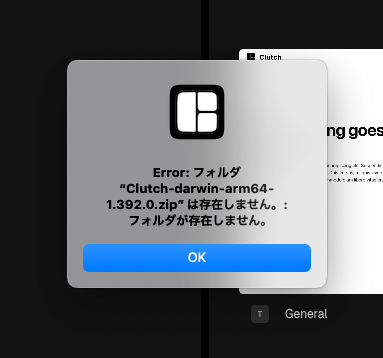
During every automatic update on macOS, users receive an error popup:
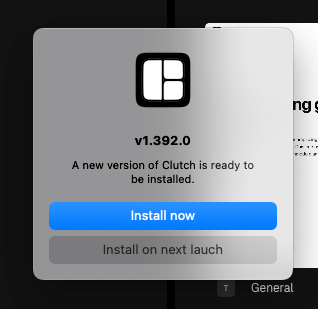
After clicking "OK," the update proceeds normally and Clutch installs successfully.
Steps to Reproduce:
Launch Clutch on macOS with an outdated version (e.g. v1.392.0)
Wait for the auto-update dialog
Observe error dialog before the update continues
Expected Behavior:
The update should proceed silently or with only one confirmation dialog, without throwing an error about a missing folder.
Actual Behavior:
Users are interrupted by a confusing system error dialog every time an update is triggered.
Notes:
Appears to be related to a missing intermediate file or folder during the update extraction process
Does not block the update, but causes unnecessary friction
Priority:
Low severity, high annoyance. Doesn’t block functionality but reflects poorly on the update UX.
Suggested Fix:
Investigate the update packaging script or auto-updater logic for missing folder creation or cleanup issues.
Please authenticate to join the conversation.
Under Review
Bug
Low Priority
Over 1 year ago

Takeru Maeda
Subscribe to post
Get notified by email when there are changes.
Under Review
Bug
Low Priority
Over 1 year ago
Takeru Maeda
Subscribe to post
Get notified by email when there are changes.